Can Spotlight find text inside a screenshot?
Short answer: not entirely. Spotlight indexes mainly by filename, metadata, and the content of certain document formats — and the default filename macOS gives a screenshot is just a timestamp, carrying no searchable information of its own. macOS does have Live Text for recognizing text in images, but that's an "open this one image, select the text inside it" interaction, not a global index that lets you type a word into a search box, with no image open, and hit the one screenshot out of hundreds that has it. The two sound similar but solve different problems.
How real OCR search actually works
Shotbox uses an open-source OCR model (RapidOCR, based on PP-OCR) that ships inside the app for text recognition. The whole process happens right after you capture, before the image ever settles — the recognized text, along with an auto-generated title, gets written into a local index. It all runs on your Mac, works without a network connection, and never sends the image anywhere to be processed. From then on, every word you type into the search box is matched against that local index, not a filename. That index is Shotbox's own — it doesn't rely on, and never touches, the system's Spotlight index; the two run independently of each other.
The honest truth about accuracy
On-device OCR isn't magic. Clean, well-formed printed text in a sharp screenshot gets recognized with high accuracy; handwriting, stylized fonts, heavily rotated photos, or extremely dense multi-column layouts (a whole PDF page crammed into one screenshot, say) noticeably raise the error rate, and sometimes the reading order of a whole block of text can come out scrambled. None of this is something a cloud-based model would automatically fix — it's a limit of OCR technology itself on complex layouts. Shotbox specifically fixed a scrambled-text-order bug in version 0.8.5, which shows this area keeps getting worked on, but there's no guarantee of 100% accuracy on every layout, and that's worth stating plainly.
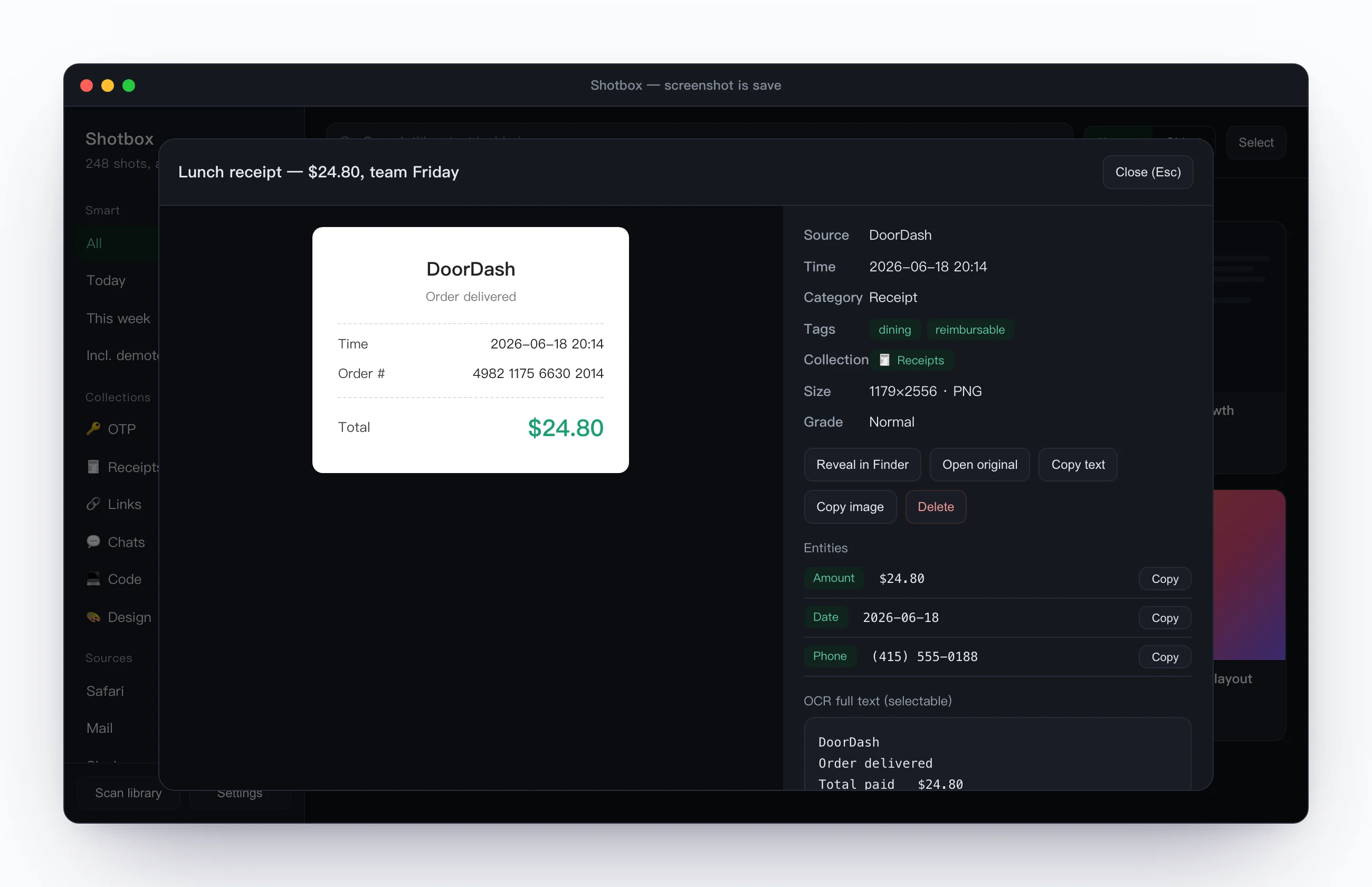
What the recognized text is good for
Beyond search, structured details like codes, amounts, order numbers and URLs get pulled out on their own into one-tap copy fields, so you're not squinting at a screenshot trying to retype something. The original image, the full recognized text, and the extracted fields all show up together — whatever part you need, you copy it directly instead of reopening the image to transcribe it by hand. For how this plays out when you're hunting down an old shot, see how to find a screenshot you took weeks ago; for the full rundown on permissions and network behavior, see does a screenshot tool upload what's on your screen.
